 |
DIY • Do it Yourself • Weekend Projects • BIG Projects • LITTLE Projects | |||||
 |
 |
|||||
|
DIY • Do it Yourself • Weekend Projects • BIG Projects • LITTLE Projects | |||||
|
|
|||||
 How Do I Share My How-To?It's really pretty easy, pictures and videos of the steps it takes to complete your project are stored on YouTube and picasaWeb. Once your "final" video is stored on YouTube, your project will show in the listings on the site. All this is controlled by our Creator's Tools. Basically, you start a project by writing up the project idea. Step 1. Sign up for a free Creator's Account to gain access to the Creator's Tools. Step 2. Login Step 3. Push the "Create New Project" button on the Creator's Tools. Make a name (you can change it later) for your project. And describe your plans to use as notes to guide the creation of the steps. Step 4. When you've finished providing all the steps to your project, shooting the videos and saving to google video via the Creator's Tool Panel, you are ready to write the introductory paragraph with an interesting story of how you did it, or how you do it in the case of a professional services presentation. Step 5. Last but not least create and upload the video (to YouTube) which is the video that will be used to summarize the project. If you were building a robot, this final video would show the robot running around, doing fun things that will inspire others to create their version of your project. That's it... Watch the views and ratings for your project pile up along with the sales commissions! Or get a customer because you showed how you remodel a house. |
FAQ About Becoming A CreatorQ. Why would I go to all that work, building something, then put it on a website like C What I Can Do? What's the point? A. Actually, there are a couple of forms for a reward:
|
How Do I Share My How-To?It's really pretty easy, pictures and videos of the steps it takes to complete your project are stored on YouTube video and picasaWeb. Your project listing will not show on the site until your "final" video is stored on YouTube. All this is controlled by our Creator's Tools. Basically, you start a project by writing up the project idea. Step 1. Sign up for a free Creator's Account to gain access to the Creator's Tools. Step 2. Login Step 3. Push the "Create New Project" button on the Creator's Tools. Make a name (you can change it later) for your project. And describe your plans to use as notes to guide the creation of the steps. Step 4. When you've finished providing all the steps to your project, shooting the videos and saving to google video via the Creator's Tool Panel, you are ready to write the introductory paragraph with an interesting story of how you did it, or how you do it in the case of a professional services presentation. Step 5. Last but not least create and upload the video (to YouTube) which is the video that will be used to summarize the project. If you were building a robot, this final video would show the robot running around, doing fun things that will inspire others to create their version of your project. That's it... Watch the views and ratings for your project pile up along with the sales commissions! Or get a customer because you showed how you remodel a house. |
FAQ About Becoming A CreatorQ. Why would I go to all that work, building something, then put it on a website like C What I Can Do? What's the point? A. Actually, there are a couple of forms for a reward:
|
 |
|
|
|
Xpando Menu
 Click To Expand / Contract Menus. View by Creator, Category, Keywords or Number of Views. Add a 100MHz 32 channel Logic Analyzer to your workbench to debug PWM signals, S... Here we take a look at the development boards available for creation of new fun ... By now you may have noticed the videos and projects involving a robot made from ... I built this robot over many variations, most of which are shown in various form... it`s cool... Subtitle here should be, "Part 2a, Roboteer`s Guide to BeagleBone Black.&qu... When it goes, it goes like this... Forward motion until the feeler touches some... This is a project I call the buggyBot, not because it won't do what you ask it, ... You can build your own autonomous Robot by following the guidelines here. I li... I bought a power wheelchair with the idea it was the best way to get cheap motor... As situations would have it, I have installed and tested the unit with an IR Ran... SimpleBot the 5 Minutes to Build Robot. This is `the bot` for experimenters who... This is a how-to video for building an L298 Dual H-Bridge Motor Controller. I c... It could tie into what you are proposing. Each entry in one`s timeline can have ... Describes how to "build one of these" yourself. Pretty much is a step... This is my version of (at least) the base of an RFL upright robot. It works pre... Bumps and swivels I`ve run into while trying to build small robots.
A Bump is s... Butler is about a 20 inches wide and 8 inches to the top of the platform. It tra... How to convert a standard incandescent flashlight to an LED based flashlight. E... What about Really separating Creators from just commentors, lookie lu's etc...
... CwhatIcanDo.com allows everyone to view the results of Project Creators.
F... DogBot is my first robotic dog project.
I was inspired by a guy who was build... It`s been a while since I created a new project for Cwhat I can Do, so here goes... Convert an old broken down Rumble Bot into a wandering autonomous robot.
It`s c... To Create A New C What I Can Do Project.
* SignUp for Creator Account. It`s Fre... henryMLYV... Installation instructions for a 4 section in-ground batting cage from PracticeSp... Yes, you can build your own muter. I built one in a button, but the form factor... This Pencil Could Do Your Homework For You... Don`t Even Put Your Hand On It!... Low-Cost, super simple robot you can build yourself in a weekend.
This robot wa... One 555 timer and a couple of parts and you get a balancing robot base.
I`d lov... I build robots. Little electromechanical machines that roll around the floor, s... The App provides four major areas to help you create a startup business.
I wa... This is the i-Mon App. Yup another software application project here on C what ... 40 kHz get used to it.
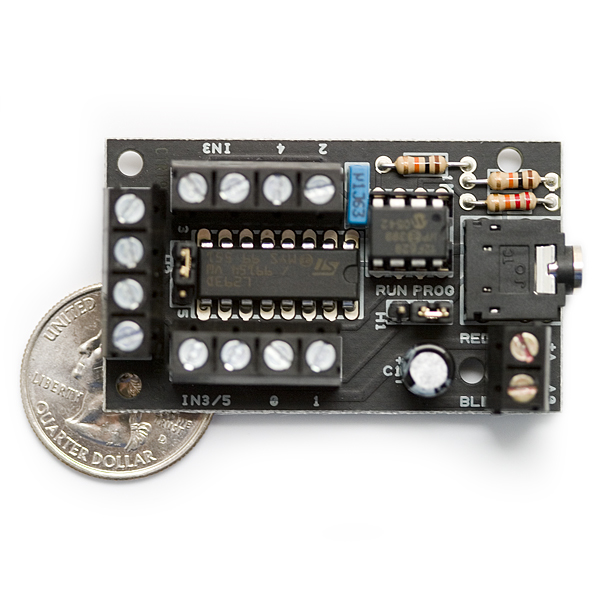
It`s the frequency of the ultrasonic transducers availa... This project grew out of an idea I got when I found a couple of 2057 Giant LED M... Hello, Dr Zoidberg again. I was trying to figure out what to do with the large q... I picked up one of these without a controller for $5 bucks. After searching a... This is just a placeHolder for a project with "multi" in it's name. T... I have a 4 camera security camera setup, two cameras point to the street outside... This video describes the first experience operating the WowWee! Tri-Bot. From o... Both motor speed and direction are easily controlled using the picAxe 14m. The ... I have obtained a pixAxe 18m2 to replace an 18x I was using in a project. The ... The low-cost picAxe Motor Controller allows you to build a universal motor contr... Take a PicAxe brain, add an infrared "whisker" and a motor controller,... The mighty Ping))) ruled the earth until along came the super-empowered Pong))))... qko... Here is a robot project that uses the picaxe 08m with an infared module to contr... From thanking the Post Office guy for delivering the shipping box, to operating ... .... I`m calling this robot basics, but I`m leaning to more like a minimum "robo... Hello. This is WeRbots, with the robot videos, you know another robot Freak...
... I feel like I`ve combed the earth for the "just right" combinations of... Build yourself a fun obstacle avoiding robot that drives around all by itself, e... It`s a robotic, sun-powered, holographic scare crow. You can build one yourself... Here`s one for us hackers and modders! Linux powered robot with 2.4 gHz two-way... This is a pretty complex site when you decide to become a creator. There are so ... With a single motor and a single servo, you end up with an interesting configura... Now that I spent some time "robotizing" a wheel chair, I felt I would ... Robots you can build in a weekend.
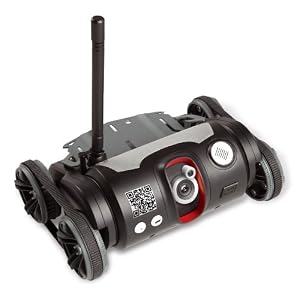
If you spend a weekend to do so, you can ma... This is sort of a "final" attempt to make power wheelchairs work bette... How-To-Projects, Home Made Robots, More... | Top Ten Most Viewed Projects: picAxe 14m Motor Driver Board: Make Your Own Views: 32155 Operation of the Tri-Bot From Wowwee! Views: 32098 Build the L298 H-Bridge Motor Control Views: 32093 Robots Almost Anyone Can Afford Views: 32072 picAxe 8 bit Motor Controller: Look Inside Views: 32057 Buggy Bot: Wire Frame Bot Body Views: 32056 Home Project: MUTE TV Wearable TV Muter! Views: 32054 picaxe 8m: Wall Follower Mouse gets Majorly Modded Views: 32052 Featured Project: Operation of the Tri-Bot From Wowwee! This video describes the first experience operating the WowWee! Tri-Bot. From out of the box, how it works, how to use it. Of course the first, arguably the most important instruction is how to turn the robot volume down. This little red robot will drive you crazy as it rolls around your house. The usual WowWee robot, you can program movements and play 'em back. Y ...
It's Easy To: C - What - I - Can - Do • Sign up - Get ID and Password• Plan and Create a Project That Someone Might Enjoy and May Even Want to Build• Link to your creation on your favorite social networking site or blog.• Become famous! Because your projects get a lot of Hits!
|
||